SimplePractice / 2024 / Product strategy, research, and design
Reducing administrative burden and time spent on payroll by 30%
SimplePractice's payroll report was burdensome, time consuming, and confusing. I reimagined and redesigned the report, resulting in reduced payroll processing time, increased financial transparency, and a decrease in CS tickets.
SimplePractice clinicians and group practices spend upwards of 8 hours preparing payroll each month.
One of the core business values of SimplePractice is to reduce administrative burden for clinicians to enable them to spend more time with their clients.
Calculating payroll in SimplePractice was painful
Prepping payroll in the product took 1-8 hours of a group practice owner’s time, and would usually happen twice a month. Admins had to combine multiple reports to gather information for payroll calculations. This required exporting data from different reports into spreadsheets, and then exporting into third-party software.
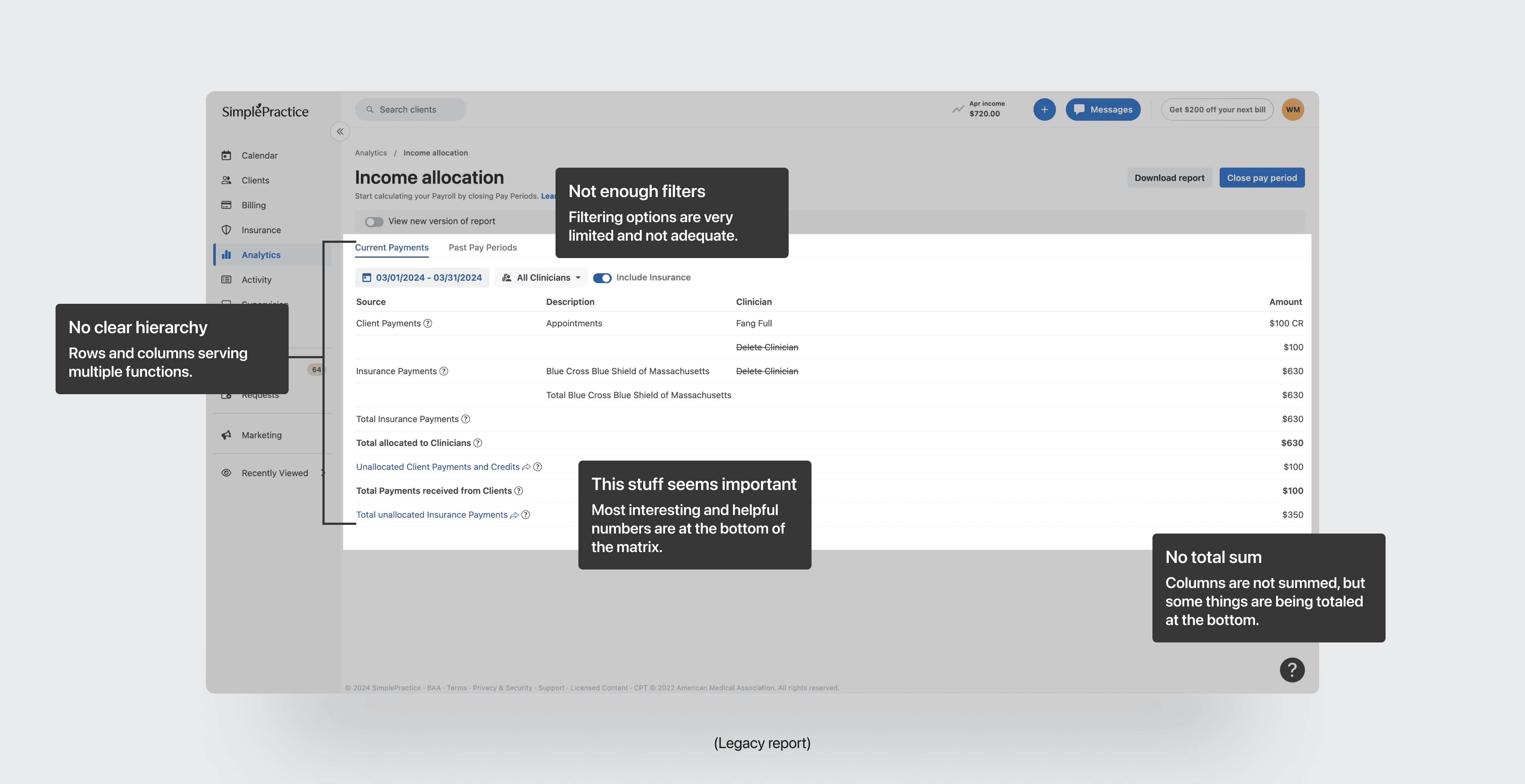
Details in the existing income report were sparse
The legacy Income Allocation report was a confusing matrix table with limited or no ability to drill-down into the details of a total number. This left clinicians in the dark on the details of the report, and did not inspire confidence that the report was even correct.
Our system was confusing
Our users frequently wrote in to our CS team and gave product feedback that our income report was just hard to understand. There was a lack of explanation, a lack of details, and it was painful to use for almost all of our users.
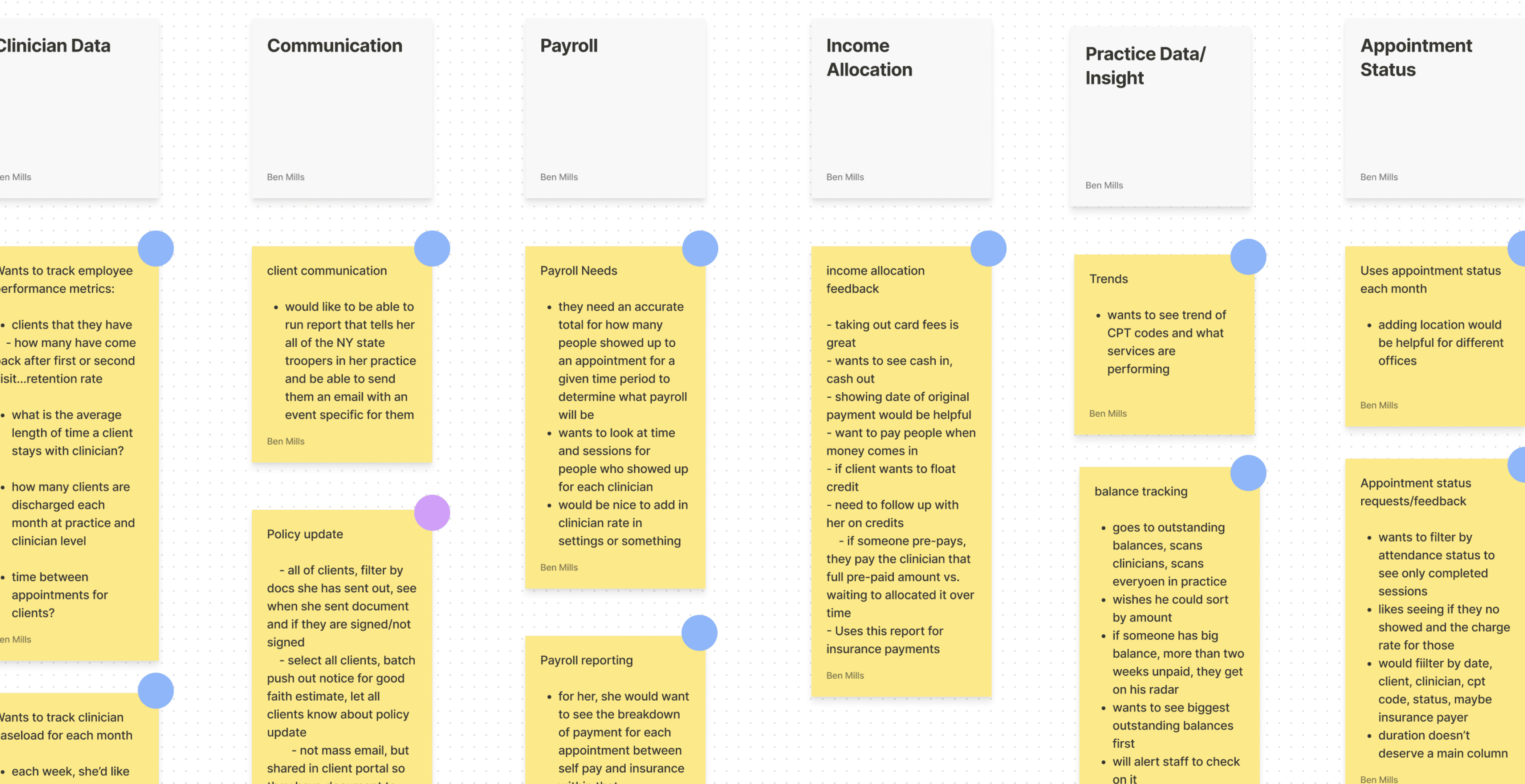
User interviews made it clear that users struggled with the lack of detail in the existing report.
Multiple rounds of discovery interviews, involving myself, the PM, and a CS rep with intricate product knowledge, were conducted to unravel the problem.
Clinicians were wasting very valuable time
Hours were spent manually tracking down payment details in the system and exporting to spreadsheets to calculate totals outside of the product due to our poor solution.
Pay period “adjustments” in the system were hard to decipher
Adjustments were payment corrections meant to reflect changes or edits to the prior pay period. These were shown in the legacy report after closing a pay period without explanation or links to what led to the correction, and were the most common complaint from users.
The data export of the report was fragmented and incomplete
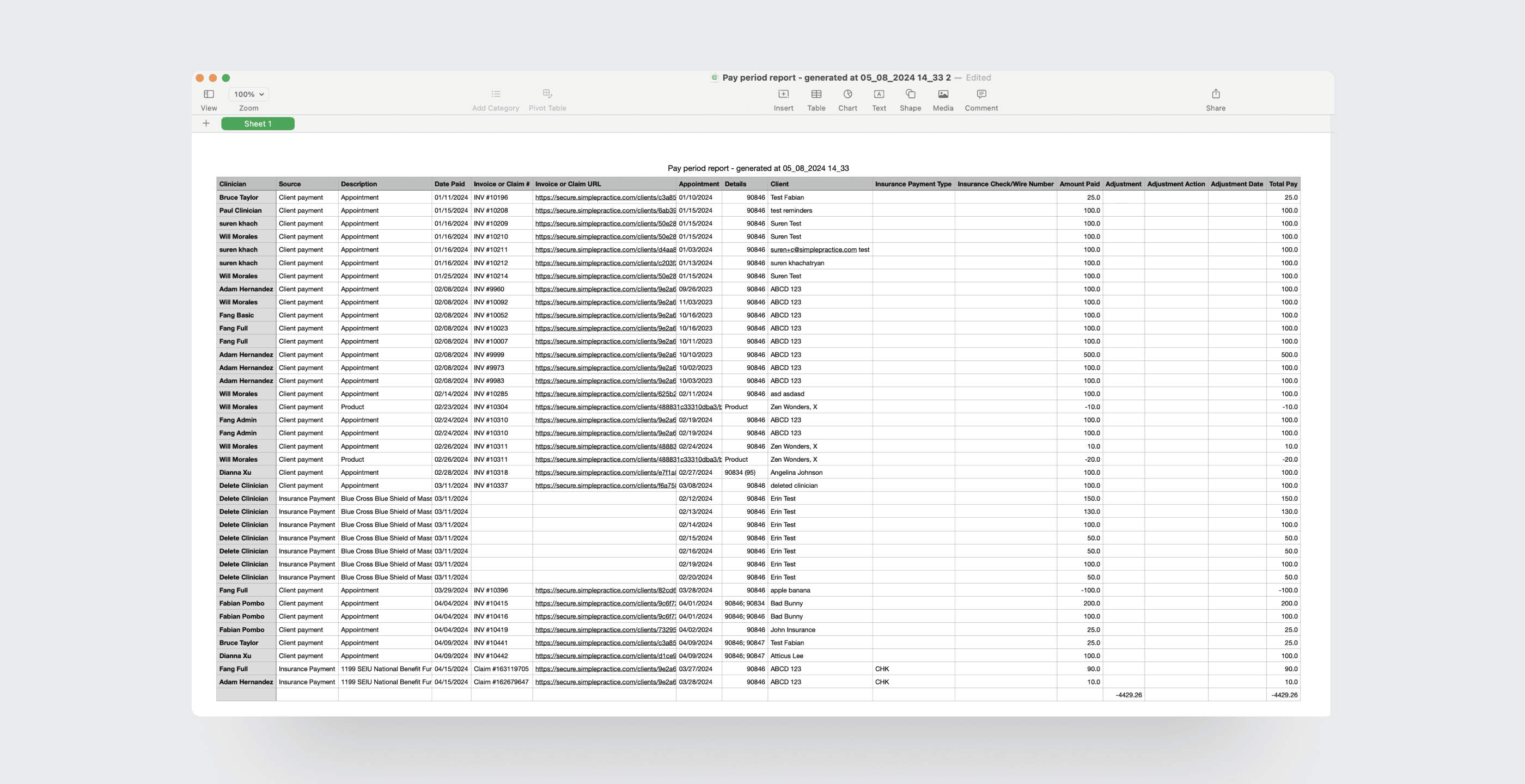
The data export lacked rich details and users told us they frequently had to reformat the export file and fill in with additional data.
Unallocated income was also hard to decipher
Unallocated income in the system means that there is record of payment to a clinician, but it is not allocated to an invoice or appointment. This lead to a “floating” number in the report that clinicians were not sure how to handle or make sense of.
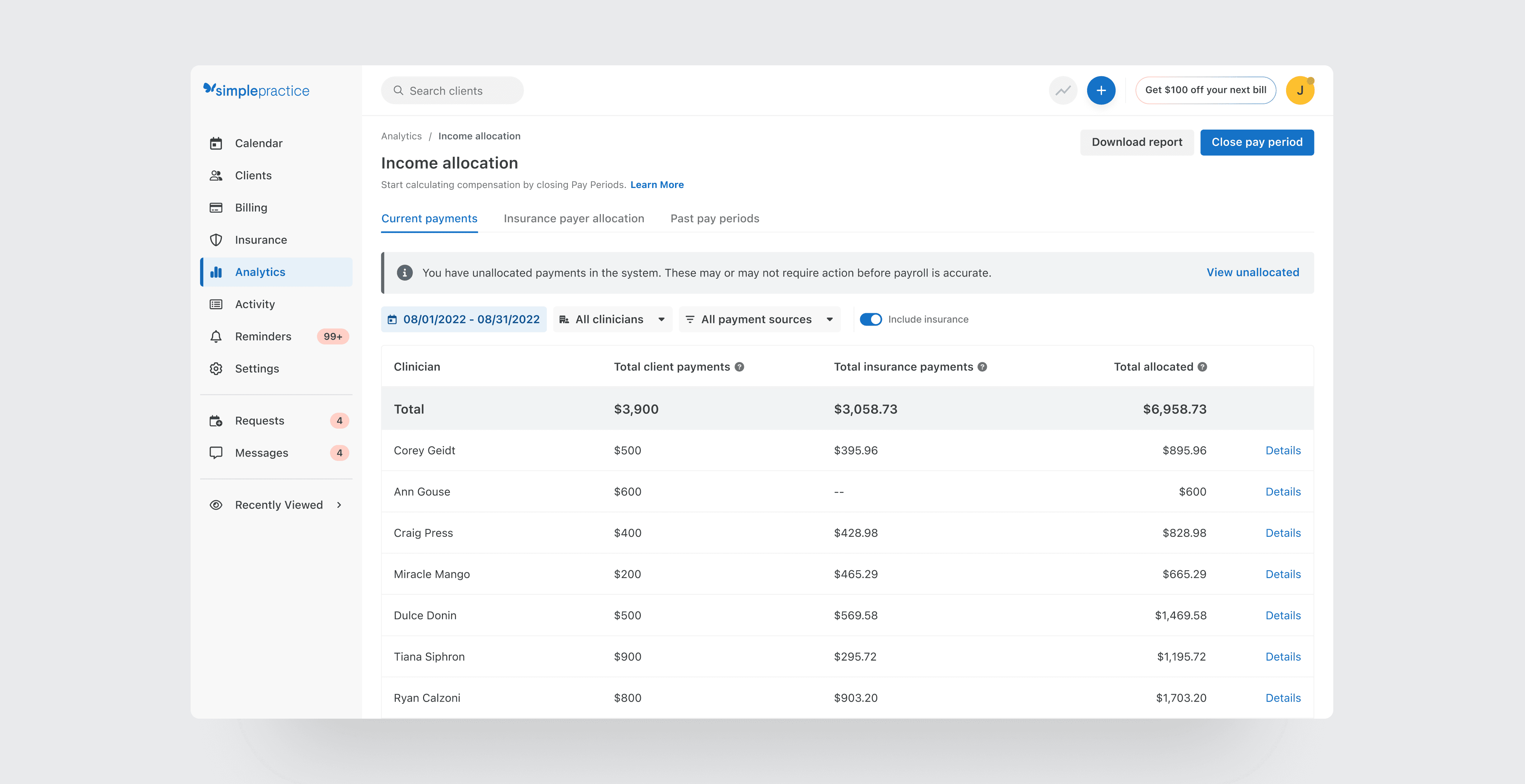
Testing different solutions revealed that aggregating totals and providing detailed breakdowns significantly enhanced the report's usability.
Prototypes were shared with group practices of different sizes and users were prompted to interact with the prototype as if they were calculating a pay period..
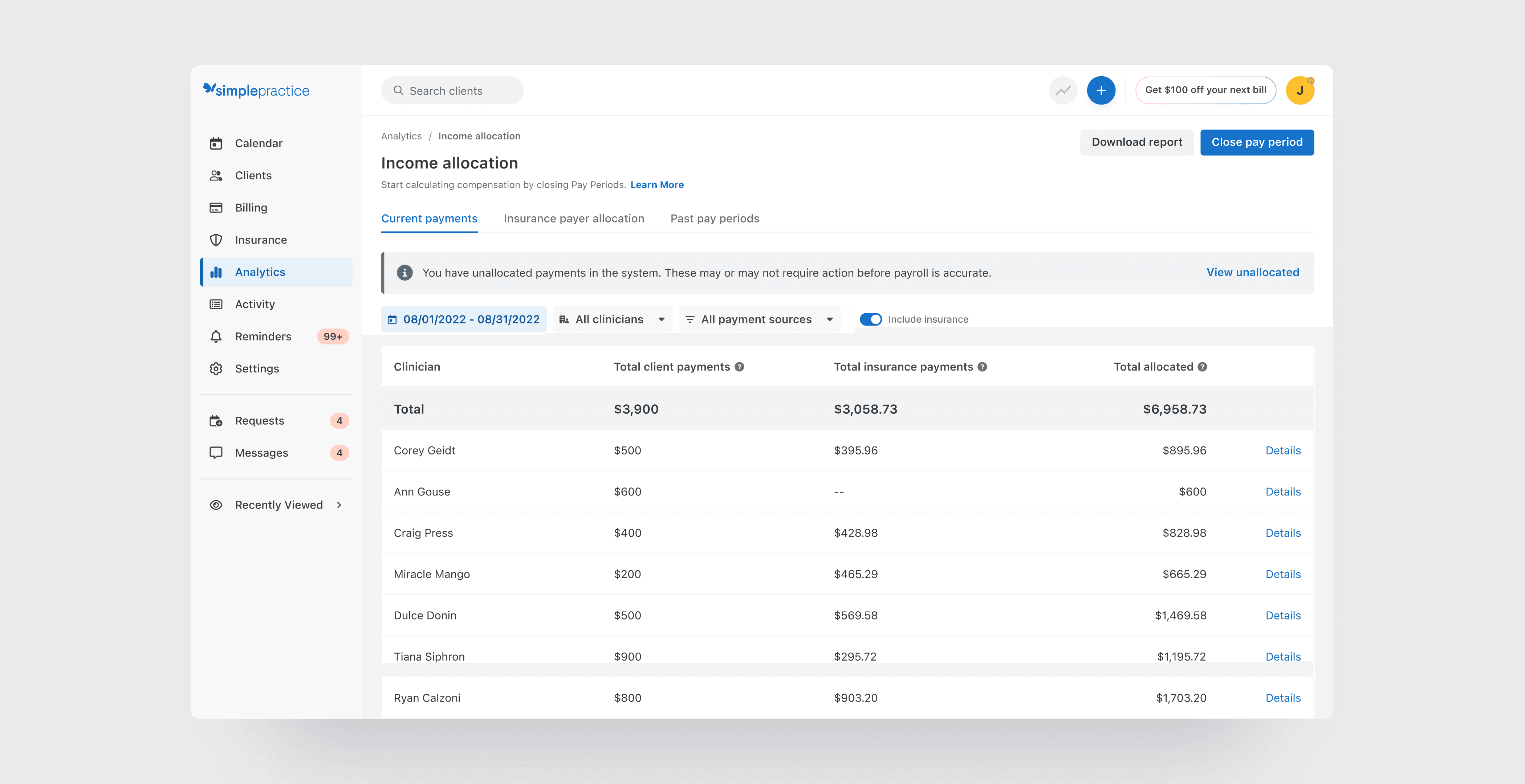
Aggregate and clinician totals provided immediate value
The new report design was a more traditional table with totals anchored at the top for scannability and quick lines of sight into the breakdown of income received by column.
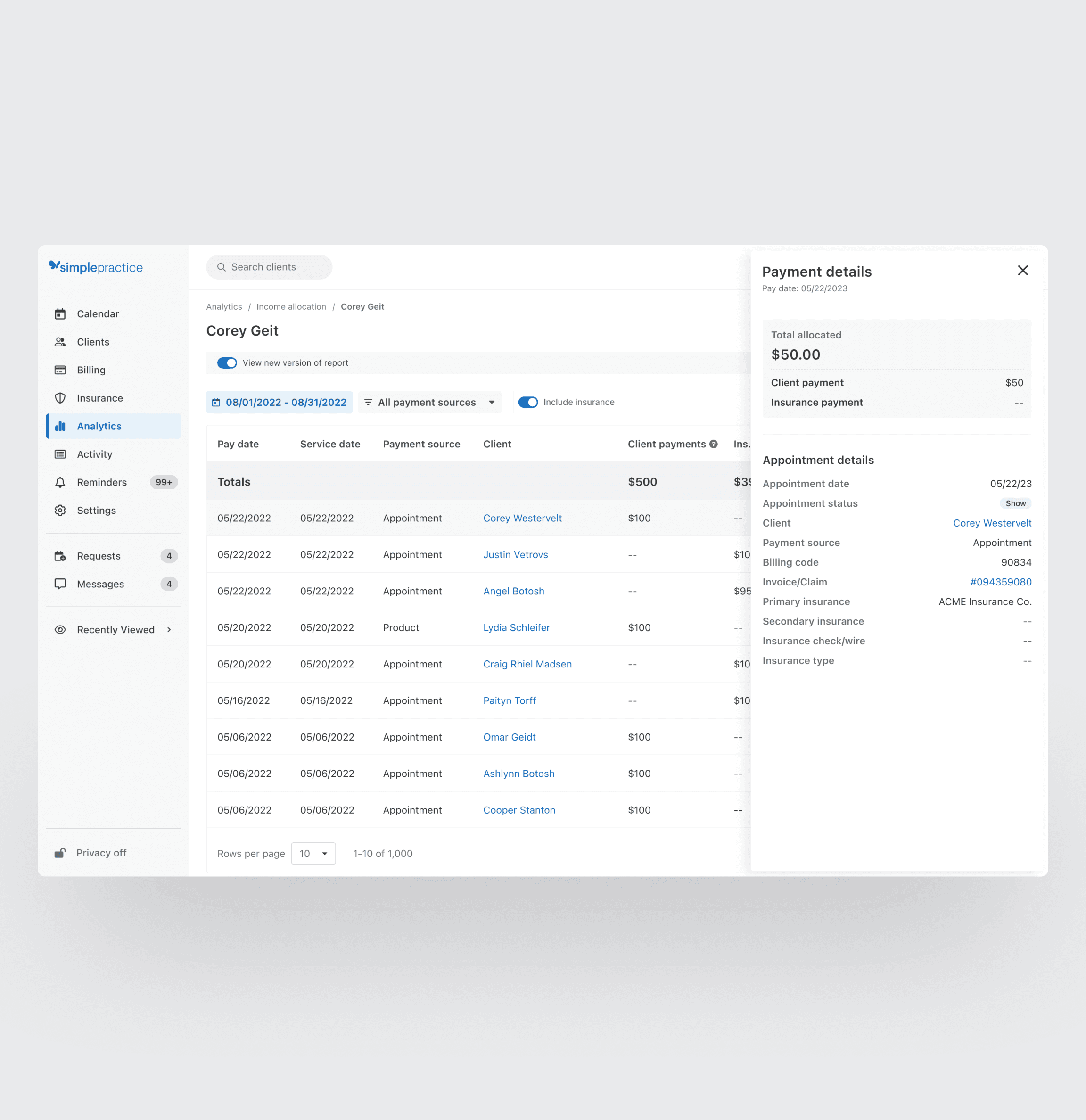
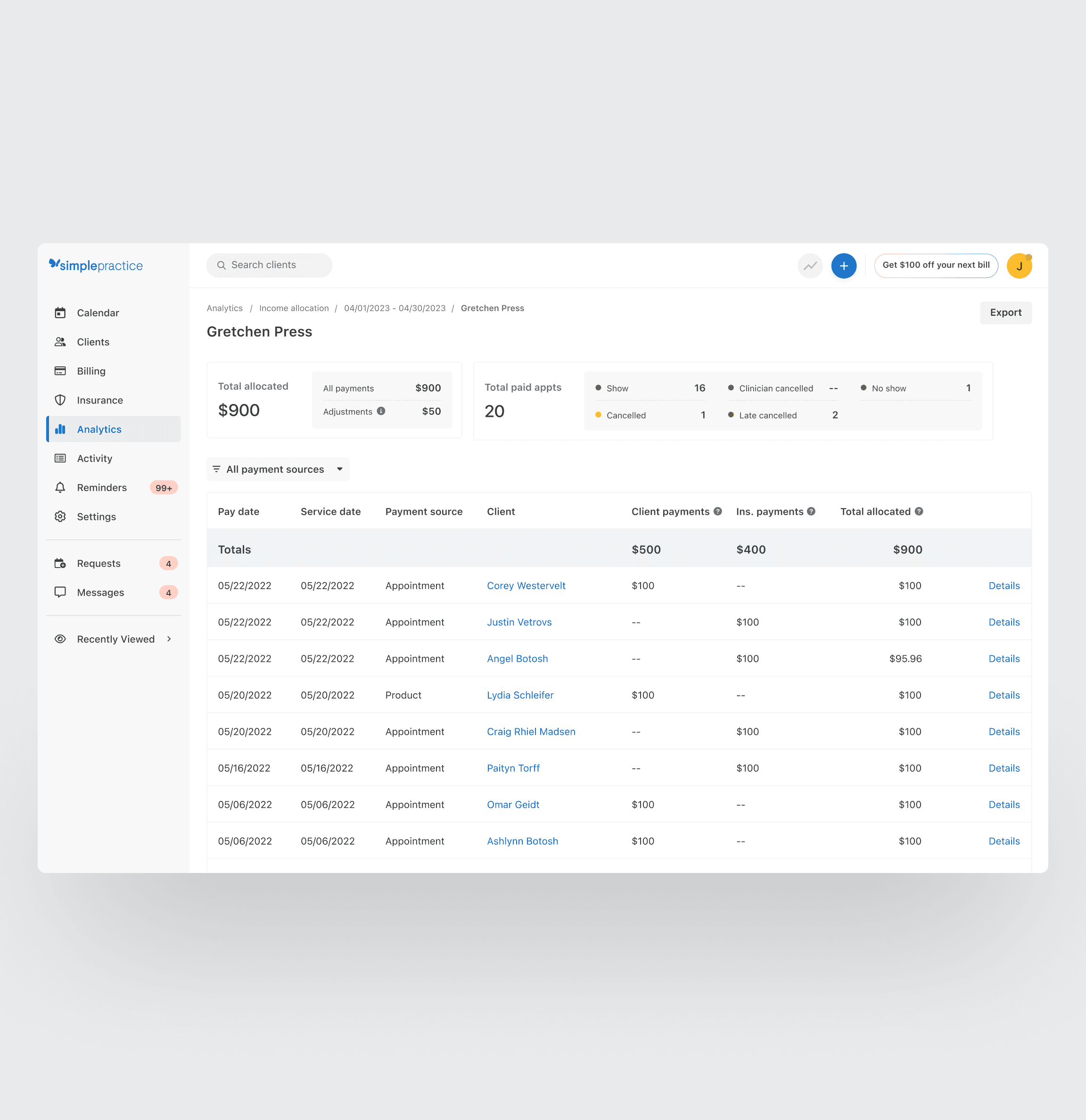
Drill-down details provided trust in the number
Data points were added into “details” flyouts, giving users the contextual info they had been missing in the legacy report. This gave them confidence the number was correct and transparency into the system's accounting.
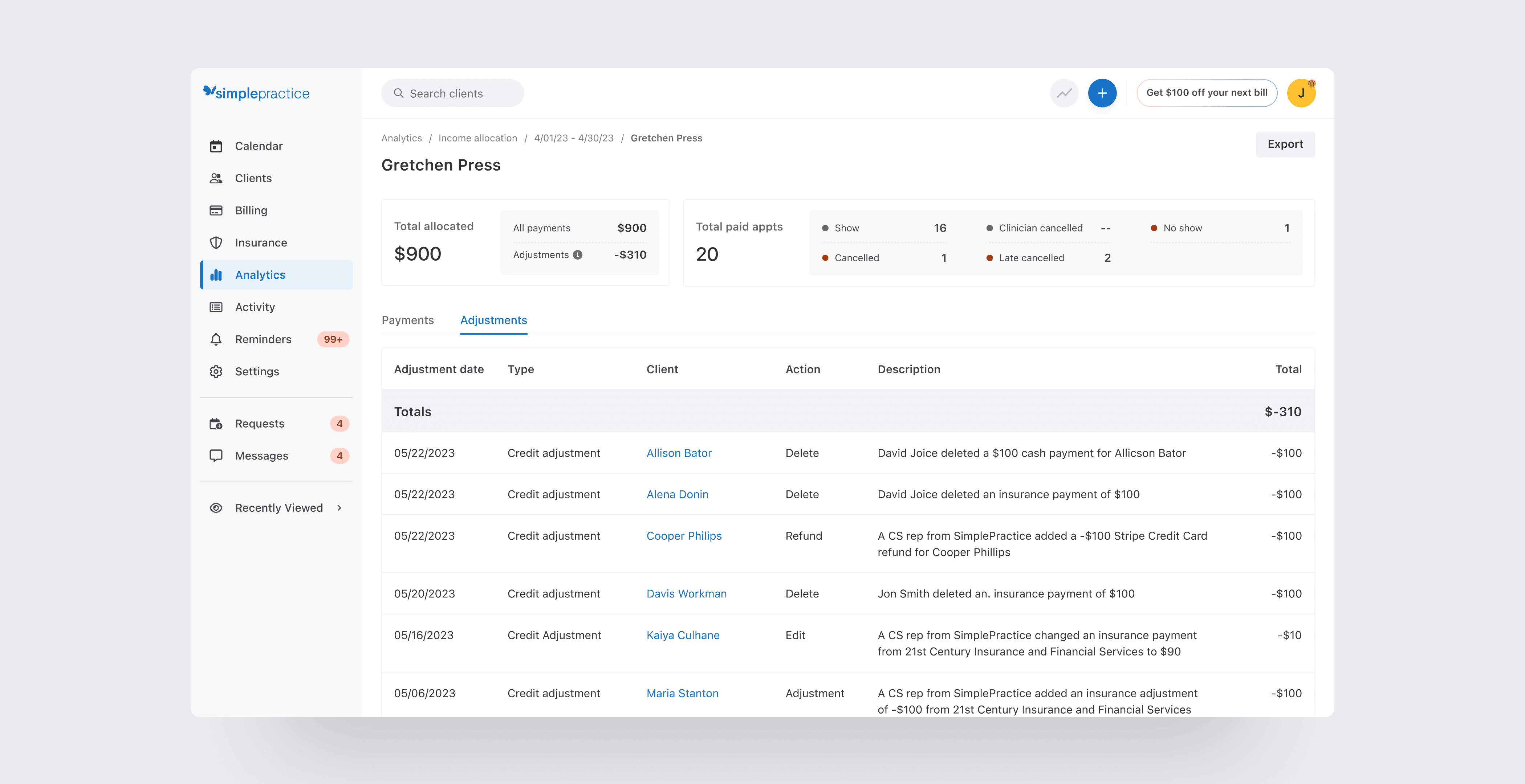
Details of adjustments were provided
I worked with the engineering team to uncover what system events created adjustments in pay periods. We were able to give labels to these events and extract their data points into a log for each clinician in the pay period.
A detailed page was created for each clinician
Detailed sub-pages provided all data points and an individual "mini report" for each clinician in the practice.
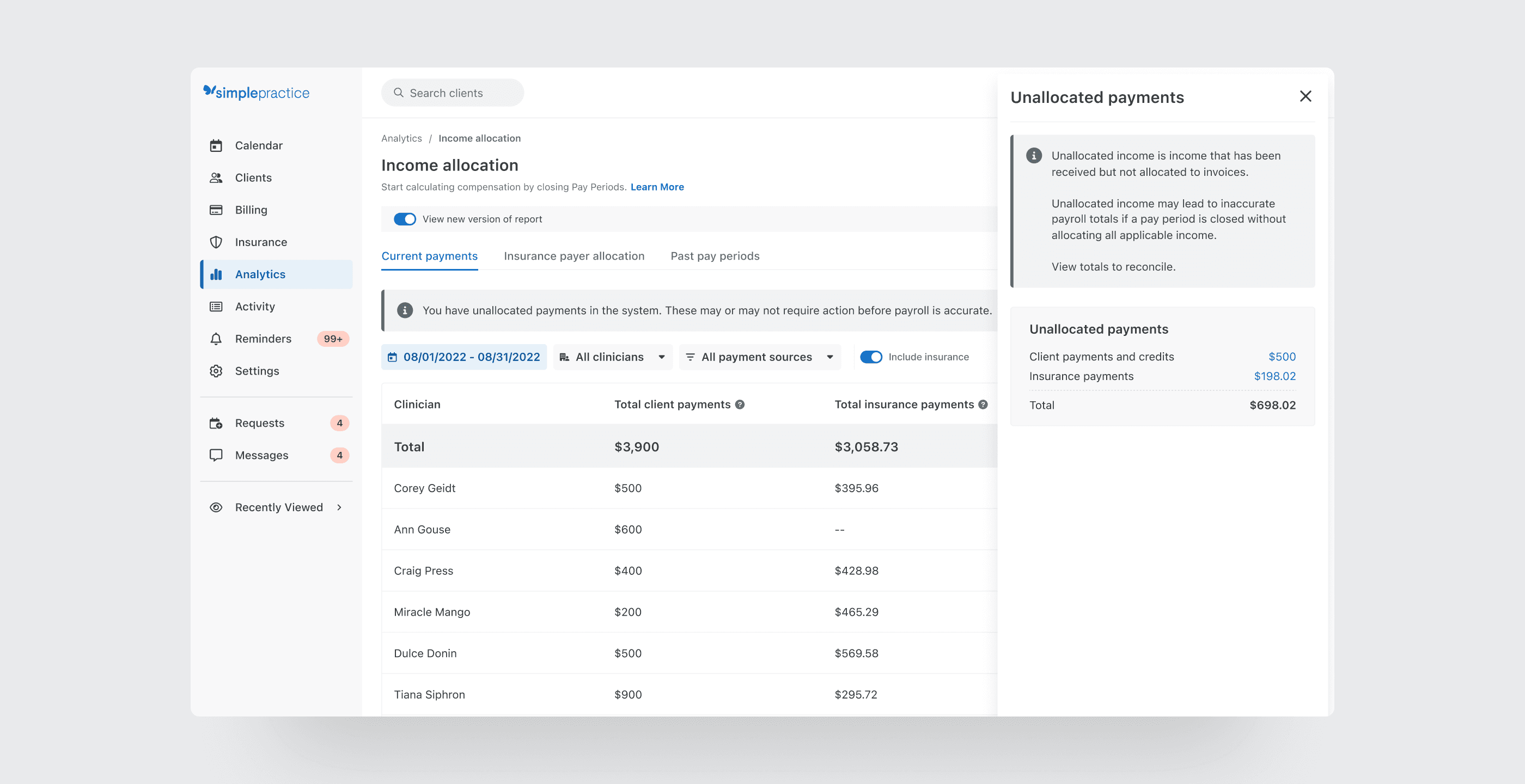
Unallocated income was highlighted with explanation and clear actions to reconcile.
Floating income in the pay period that was not tied to an invoice was clearly called out with a banner appearing on top of the report.
A gentle reminder, not a warning
It was important to display the information and call attention, but not frame it as a warning. In many cases, the income needed to be reconciled and allocated to a clinician in order for them to receive credit, but sometimes no action needed to be taken due to pre-payments from clients for future appointments.
It was also important to improve the customer experience outside of the product.
While it was important to drastically improve our in-product experience, creating a more seamless out-of-product experience also met customers where they were, reducing time to calculate payroll across the board.
Better data led to a better export
With better filtering and cleaner data in the report, the export file of the report also became much easier to drop into third party payroll solutions like Gusto and Quickbooks.
Post-release surveys showed a 29% reduction in payroll processing time and positive feedback from surveyed clinicians.
After release, we measured our success by surveying group practices about the report and time spent calculating payroll after each report.
Time was given back to be spent with clients
This payroll report was successfully able to reduce pain and wasted time for our group practices every pay period, giving back valuable time to be spent with their clients and patients.
Pain was also relieved with our CS partners
Not only did our customers win with this release, our CS peers also experienced a reduction in tickets and questions related to payroll submitted by our users due to the clarity and explanation of the system calculations in the experience.
Customer Quotes
"I love having better clarity for group practice payroll clinician totals when handling unallocated amounts."
"We love that it details out what has been adjusted. Thank you!"
"This really cuts the amount of time that I am running payroll!"